How to Make an AI BL Drama That Keeps the Feeling Clear
By OuToons ·
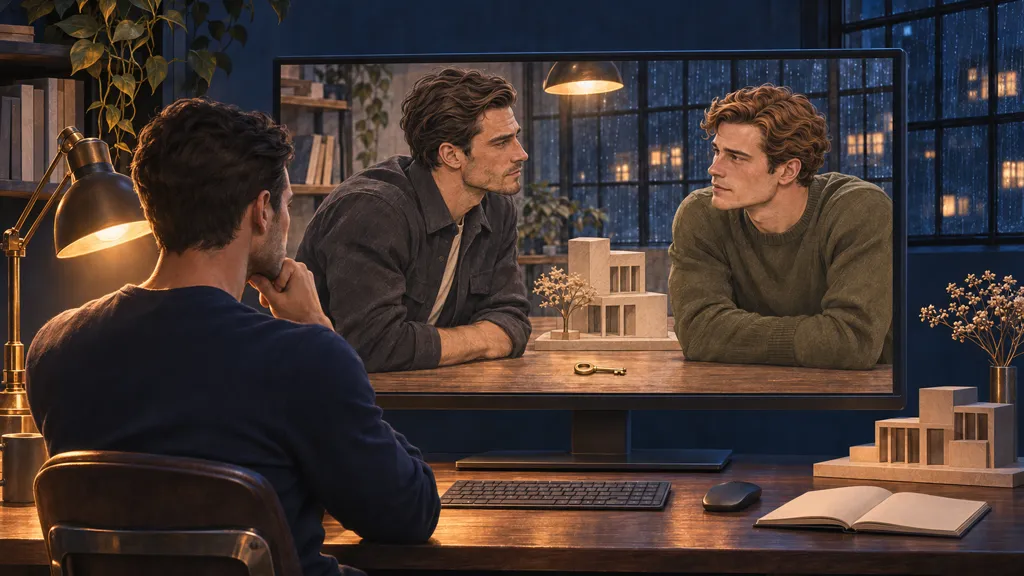
A good AI BL drama starts with a relationship worth following and feelings the viewer can read. Image and video tools serve those choices. If you are learning how to make an AI BL drama, begin with what changes between two people, then choose the shots that make that change visible.
Start with the relationship
This running example is made up: two men work late in a small architectural studio, where a drawing table, cardboard building model and large steel-framed window define the space.
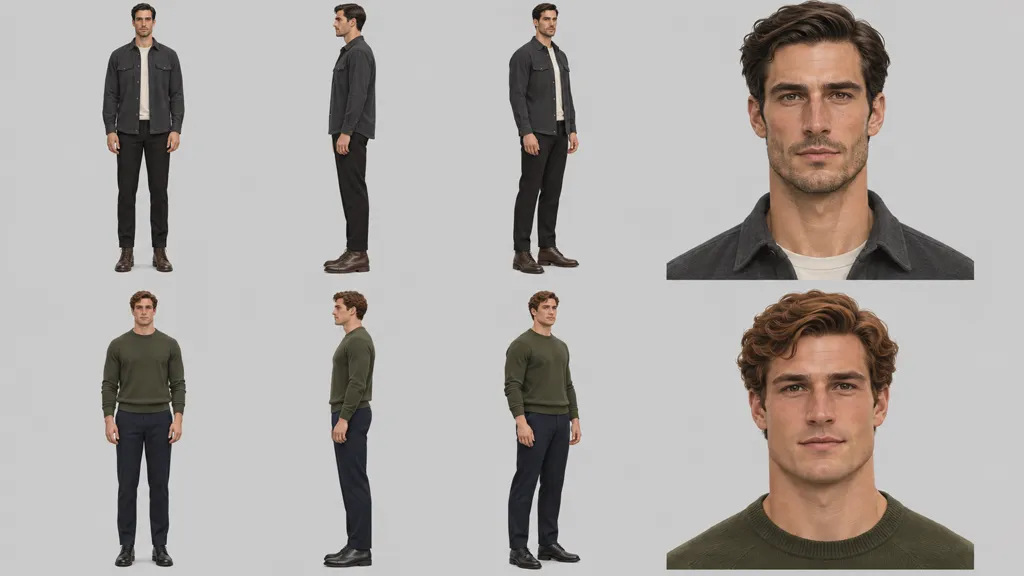
Daniel Reed, 31, is an architect with an angular face, hazel eyes, short side-parted dark-brown hair and light stubble. His fixed outfit is a charcoal overshirt over an ivory crew-neck T-shirt, black trousers and dark-brown lace-up boots.
Evan Cole, 30, is a visualization designer with a broad face, brown eyes, short wavy copper-brown hair and a clean-shaven jaw. He wears an olive crew-neck sweater, navy trousers and black shoes.
Evan's project ends tonight. Daniel wants him to stay but disguises every invitation as another task; Evan thinks Daniel values only his work. That misunderstanding keeps them apart. Write your own pair's obstacle in one sentence before generating an image.
Make the first seconds work without sound
Open on that obstacle, rather than explaining their employment history. Use exactly four shots:
- A wide view of the studio at night: Daniel stands left of the drawing table; Evan stands right beside an open, empty cardboard box. A small cardboard building model sits between them.
- An insert of Evan's hand placing a plain brass studio key beside the model.
- A medium shot of Daniel sliding the empty box away from the model, his other hand open beside the key.
- A closer two-shot: Evan stops and looks up; Daniel meets his gaze, with the key between their hands on the table.
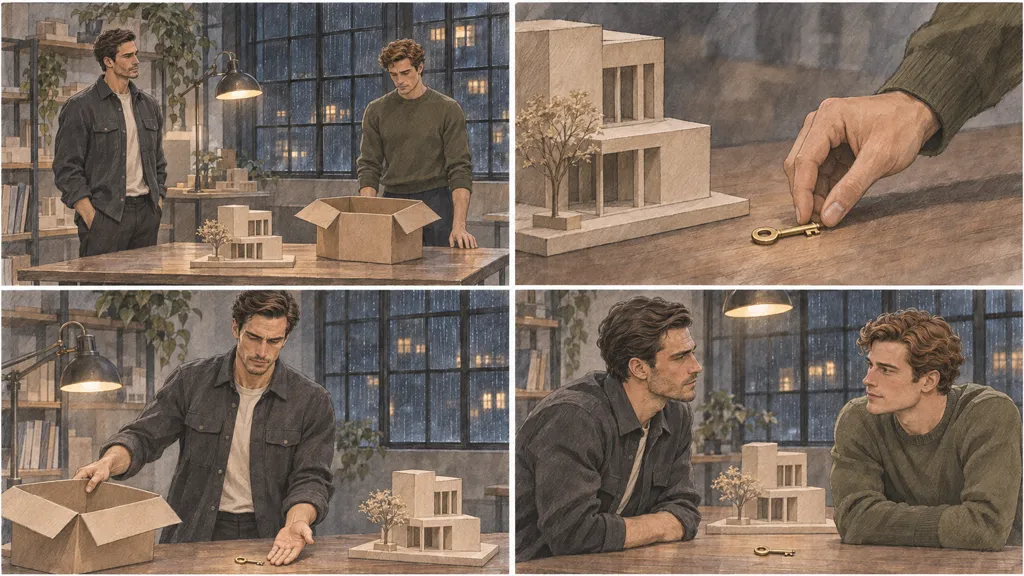
The returned key suggests departure; Daniel's response raises a question about why he wants to interrupt it. Sketch the sequence before animating it. Remove any shot that repeats information without changing the tension.
Give each episode one turn
Write an episode as a change in the relationship, not a collection of attractive moments. Here, Daniel begins by pretending he needs help packing and ends by asking Evan to stay for tea. The turn is from a task to an invitation; the question is whether Evan believes it is personal.
Draft the opening situation, the turn and the final question as three lines. If the turn needs several unrelated explanations, save some for another episode.
Keep both leads consistent
Make a character reference sheet before producing scenes. Use the same facial description, hair, outfit and body proportions in every relevant prompt. Include front, side and three-quarter full-body views plus a face close-up for each man. Compare new outputs against it, rather than against your memory.
Follow Daniel through three named scenes, keeping his charcoal overshirt and ivory T-shirt unchanged:
- The Packing Table: he slides the empty box aside beside the building model and brass key.
- The Rainy Window: he stands at the studio's steel-framed window, holding an untouched cup of tea while considering what to say.
- The Model Room: he stands beside the studio's building models and finally looks directly at Evan to make the invitation personal.
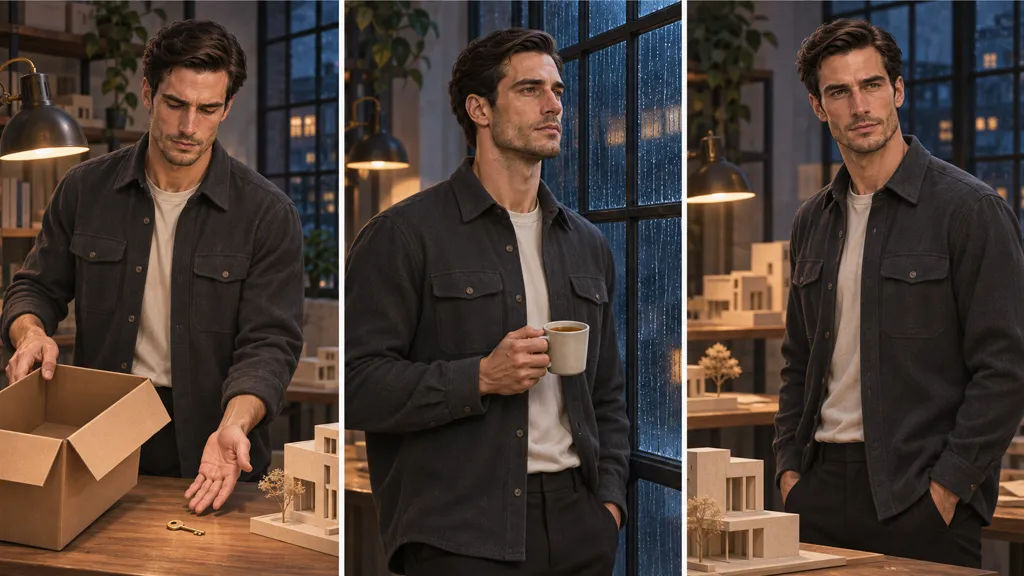
Use one approved face reference across those setups when your tools support it. Rebuild a drifting shot before adding motion; movement will not resolve a different jaw or haircut.
Make emotion readable
Give an expression a reason and a target. Daniel's gaze should move from the key to Evan, not wander past the camera. Hold a pause long enough to register hesitation, then cut closer when his decision changes.
If a performance looks blank, simplify the action. Generate a still with a readable expression first, then try a smaller movement. An attentive reaction from Evan may communicate more than a complicated gesture from Daniel. Check that their eye lines meet across the cut.
Let dialogue, sound and silence cooperate
At the rainy window, give Daniel a short line: he wants Evan to stay for tea. Leave a pause before Evan asks whether this is another work request. The pause should carry uncertainty, rather than music explaining every feeling.
Keep voices recognizable and dialogue clear above room sound. Listen for abrupt edits and changing volume. Write one idea per line, with explicit references when pronouns become confusing. Clear lines also give subtitles and translation less ambiguity to carry.
Show two adult lives
Put Daniel's age, Evan's age and their professional roles in your story notes. Keep mature faces and adult proportions in the reference sheet. Their drawing table, project handover and decision about leaving give the relationship an adult context without an explanatory speech.
Reject any output where either man does not look clearly adult. Do not rely on an age written in a prompt if the face or setting in the result tells a different story.
Keep the story and assets yours to use
Build this exercise from your own original story, or use material you hold the rights to. Check that your image, video, voice, music and other asset licences allow the intended commercial use. Permission for one asset does not establish permission for the rest.
Describe Daniel and Evan instead of borrowing another creator's characters or a real person's face. Keep a record of references, permissions and the tool terms relevant to your production.
Check the feeling before publishing
Watch the studio sequence on a phone: can you recognize both men, see the key and understand the hesitation? Watch it muted, then listen without looking. Each pass asks a different question about clarity.
Look for a changed face, a disappearing key, mismatched hands, unreadable expressions or a cut that makes Evan seem to leave before Daniel reacts. Fix the shot that breaks the relationship's continuity, rather than covering it with more effects. Check subtitle timing and legibility too.
After publishing, ask where the story loses people
OuToons Creator Studio shows views and retention for each work and episode, along with viewer comments. An AI drama creator can use those observations to form questions about the next edit.
If viewers stop around Daniel's invitation, consider several explanations: an unclear turn, repetitive dialogue or a weak transition. Retention alone cannot choose among them. Read comments for clues, compare the episode with the earlier setup, and change one thing in the next draft. Do not treat a few comments as proof that every viewer feels the same.
Before-you-publish checklist
- Define what each man wants and what prevents closeness.
- Keep both leads clearly adult in every shot.
- Show the opening conflict without dialogue.
- Give the episode one relationship turn.
- End with a specific unanswered question.
- Match faces, hair, outfits and recurring props.
- Check eye lines, pauses and readable expressions.
- Listen for clear voices and distracting sound changes.
- Check subtitles and the intended uses of every asset.
- Watch the finished sequence on a phone and muted.
Publishing on OuToons
OuToons is an 18+ streaming website for AI-made BL short dramas by independent creators. Episodes must be at least 60 seconds and 720p; accepted formats are MP4, WEBM, MOV and M4V, up to 5 GB per episode.
The creator keeps the copyright. OuToons automatically transcribes dialogue and provides subtitles in 11 languages; creators can replace automatic subtitles with their own files before a work goes live. Every new work and episode is reviewed against the OuToons Content Guidelines. If something is not approved, the creator is told why and can fix and resubmit it. Read the creator information when preparing your work.